Header auth
Send your key as X-API-Key on every request. Keys are issued per user and scoped to their workspaces.
Integration
Everything the interface does, your systems can do too — the whole chain from AOI to monitoring rule is drivable programmatically.
Authentication
Send your key as X-API-Key on every request. Keys are issued per user and scoped to their workspaces.
Per-user and per-team limits, tracked server-side. Limits are configurable by an administrator.
The openapi route serves a machine-readable specification you can generate clients from.
REST API v1
Eight resource groups covering the full lifecycle.
| Resource | What it covers |
|---|---|
/aois | Create, read, update and delete areas of interest, with filters on type and status |
/satellites | Query the catalog by operator, sensor type, resolution or free text |
/orders | Create acquisition orders and track their status through the eight-step lifecycle |
/search | Unified imagery search across every connected provider, returning STAC Features |
/monitoring | Create and manage monitoring rules — cadence, cloud, quality and AI change |
/jobs | Submit and poll processing and inference jobs |
/keys | Issue and revoke your own API keys |
/openapi | The OpenAPI specification for the API above |
| Method | Route | Description |
|---|---|---|
| GET | /aois | List areas of interest |
| POST | /aois | Create an AOI |
| GET | /aois/{id} | Retrieve one AOI |
| PUT | /aois/{id} | Update an AOI |
| DELETE | /aois/{id} | Delete an AOI |
| Method | Route | Description |
|---|---|---|
| GET | /orders | List orders, filterable by status |
| POST | /orders | Create an order |
| GET | /orders/{id} | Retrieve one order |
| PUT | /orders/{id} | Update status or metadata |
| POST | /monitoring | Create a monitoring rule |
Interoperability
The /search route queries every connected provider at once and returns STAC Feature objects, so archive results from ten different catalogs arrive in a single shape your tooling already understands.
Submit a processing job against a COG URL through /jobs, then poll /jobs/{id} for status and results — the same pipeline the interface drives.
Monitoring alerts can call your endpoint directly, so SatView events land in your own pipeline.
Python SDK
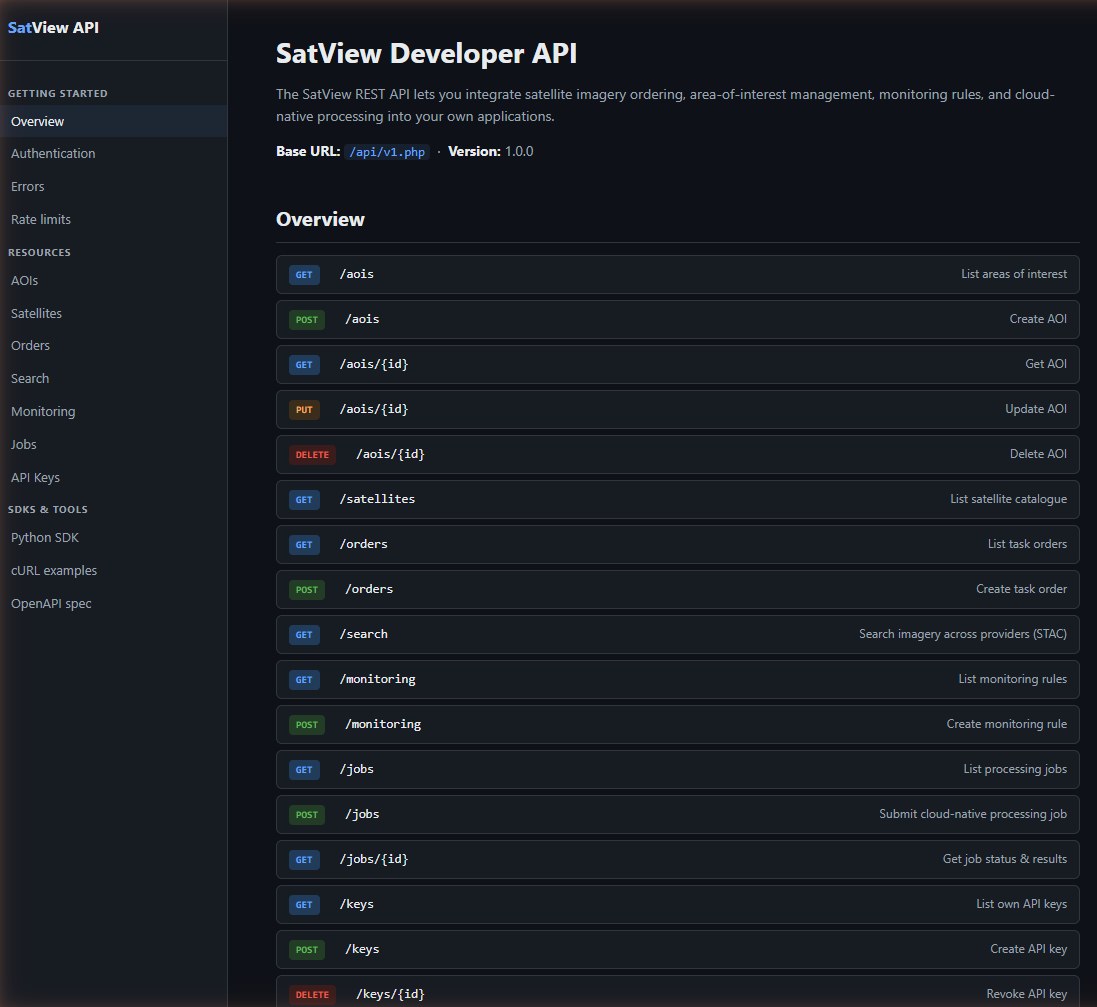
Developer portal · route reference, shipped with the application
Tell us what you need to drive from the outside and we will point you at the right endpoints.
Tell us about your mission — we will get back to you.